Chrome Privacy Problems: Safer Browser Choices That Work
Chrome privacy looks better in marketing than in real life; here’s what it actually tracks, which browsers do better, and how a VPN fits in.
If you care even a little about privacy, you probably have that nagging feeling every time you open Chrome: "This thing is watching me, isn't it?" You're not wrong. Chrome is fast and familiar, but it is also built by a company that sells ads for a living, not privacy.
The twist is that simply jumping to another browser won't magically fix everything. Some are much better, some are just as nosy in different ways, and your habits matter as much as the logo on your taskbar.
Chrome privacy is pretty weak by default, but the real fix is a mix of a better browser, better settings, and better habits.
Why Chrome privacy looks fine in settings, but fails in practice
On paper, Chrome gives you a bunch of knobs and switches: "Do Not Track", "Privacy Sandbox", "Enhanced protection", "Ad privacy" in Chrome 121 and later. You can even turn off third-party cookies in Chrome 123. It all sounds reassuring.
The problem is the defaults. Most people install Chrome, sign in with a Google account, sync everything, accept whatever pops up, and never touch those options again. At that point you're basically feeding Google a real-time diary of your browsing, on every device, forever.
Here is what tends to happen in real life:
- You sign into Chrome to sync bookmarks, and your browsing history now lives on Google's servers too.
- You install four or five extensions without checking who made them, because they were "top rated" in the Chrome Web Store.
- You never review site permissions, so every random site that asked for notifications or location still has it.
- You leave "make searches and browsing better" checked, which sends extra data to Google for analysis.
- You stay logged into Google services in your main browser profile at all times.
In isolation, each of those is small. Together, they turn Chrome into a tracking machine that sits at the center of your digital life. Not because Chrome is uniquely evil, but because it's designed to make it extremely easy to give Google more data than you realize.
What Chrome actually sends back to Google
Chrome telemetry is not a conspiracy theory. Google publishes a decent amount of documentation on what the browser collects, though a lot of it is deeply technical. In plain language, here is the sort of data flow you should expect.
1. Sync data (if you sign in): your bookmarks, history, passwords (if you use the built-in password manager), open tabs, and sometimes form data get synced through your Google account. You can encrypt sync with a passphrase, but hardly anyone bothers.
2. Usage statistics and crash reports: by default on Windows and macOS, Chrome can send "anonymous" usage data back to Google. That includes things like feature usage, performance metrics, and hardware info. On its own, not terrifying, but it is still data about how and where you use the browser.
3. Safe Browsing and security checks: when you visit a suspicious site, Chrome checks it against Google's Safe Browsing list. In standard mode, this uses hashed URLs and is fairly privacy-conscious. In "Enhanced" mode, Chrome shares more real-time data about the sites you visit to improve protection.
4. Ad-related features: with the newer Privacy Sandbox and Topics API, Chrome is trying to replace third-party cookies with on-device ad targeting. Your browser learns about your interests, then websites request those topics for targeting. Google says it's better than third-party cookies. It is still tracking, just shaped differently.
Put all that together with you being logged into Gmail, YouTube, and search in the same browser, and Chrome privacy starts looking pretty fragile. The browser does not just render websites; it acts as a very polished data collection client for a giant ad network.
How Chrome compares to Brave, Firefox, Edge and Safari
If Chrome is not great for privacy, which browser actually does better? The good news: you have options. The bad news: none of them fix bad habits like reusing passwords or installing shady extensions.
Here is a quick, opinionated comparison based on actual daily use and a stack of test profiles on a Windows 11 23H2 box and a 2021 MacBook Air.
| Browser | Price | Default privacy | Best for |
|---|---|---|---|
| Google Chrome | Free | Weak | People deep in Google ecosystem |
| Microsoft Edge | Free | Medium | Windows users who like built-ins |
| Mozilla Firefox | Free | Strong | Privacy-first users, extensions fans |
| Brave | Free | Very strong | Users wanting built-in ad and tracker blocking |
| Safari | Free (with Apple devices) | Strong | Mac and iPhone users |
Brave is the easiest "Chrome but private" replacement. It is Chromium-based, so every Chrome extension works, it looks familiar, and it blocks ads and trackers out of the box. In my testing, trackers blocked were consistently 30 to 50 percent higher than Chrome with uBlock Origin alone, especially on junky news sites.
Firefox takes a different path. Different engine, different extension ecosystem, no Google account hooks. It ships with Enhanced Tracking Protection, decent cookie isolation, and a strong story around open-source development. It is usually my first recommendation if you want real separation from Google.
Microsoft Edge is in a weird middle ground. It has better tracking protection options than Chrome and integrates with Windows Defender, but it also pushes you towards Microsoft services at every turn and has picked up its own share of "feature bloat" like shopping coupons and a built-in AI sidebar.
Safari on macOS and iOS is quietly solid for privacy. Intelligent Tracking Prevention, strict cookie handling, and tight sandboxing by default. The catch: if you live in web apps that only behave nicely in Chromium land, Safari can still be a pain.
The punchline: if Chrome privacy is your concern, you probably want Brave or Firefox as your daily driver, with Chrome kept around as a dedicated "Google stuff only" browser.
The 10-minute Chrome privacy cleanup that actually helps
Maybe you are not ready to leave Chrome. Fair enough. You can still make it a lot less chatty in about 10 minutes. This is the quick pass I run on every new machine.
1. Turn off Chrome sign-in and sync: in Settings → You and Google, avoid signing into Chrome at all if you can. If you must sync, use a custom passphrase so Google cannot read the data.
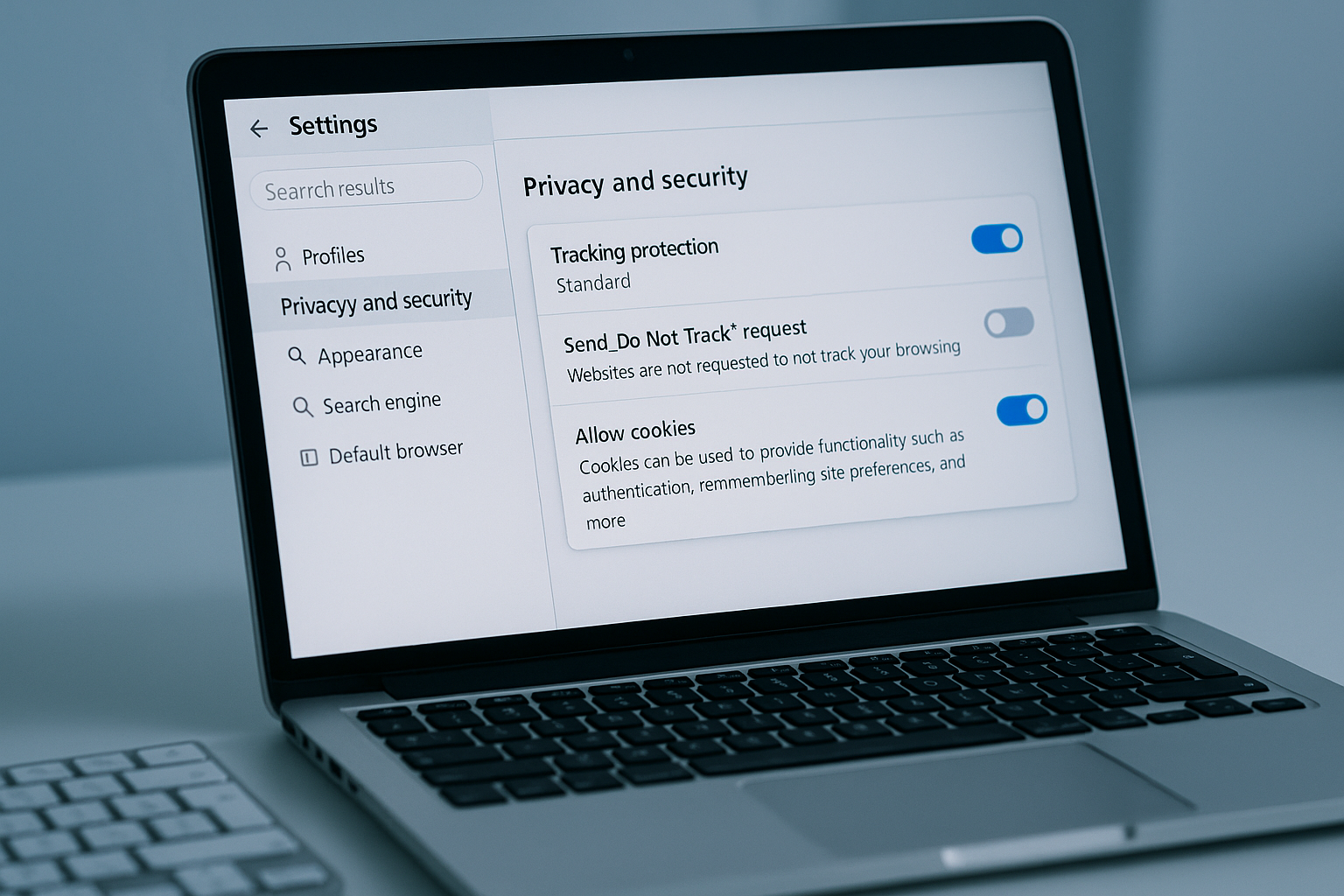
2. Kill "make searches and browsing better": under Privacy and security → Privacy, turn off extra usage and crash reporting. You do not need Google profiling how you scroll.
3. Lock down cookies: set third-party cookies to blocked or at least "block in incognito". Chrome 123 finally lets you be more aggressive here, use it.
4. Clear out extensions: uninstall anything you do not absolutely need. For what is left, click each one and check what permissions it has. If an extension that changes your new tab page can "read and change all your data on all websites", that is a hard no.
5. Use a proper password manager: LastPass had its time and its breaches. These days I usually point people to 1Password, Bitwarden, or KeePassXC. The less sensitive stuff you store inside Chrome, the better.
6. Separate profiles: use a separate Chrome profile just for Google services, and do not use it for general browsing. That way your YouTube or Gmail cookies do not follow you around every random site.
This does not turn Chrome into a privacy browser. It just makes it less of a data firehose, which is a start.
Where VPNs help your browser privacy, and where they absolutely do not
Because this is a VPN and security topic, we should talk about the VPN sticker you see slapped on every "online privacy" article. A VPN is great for some things. It is not bleach for bad browser choices.
Here is what a good VPN like ExpressVPN, Mullvad, or Proton VPN actually does for you:
- Masks your IP address from websites and your ISP, which matters a lot if you are on hotel Wi-Fi or a shared connection at work.
- Encrypts your traffic between your device and the VPN server, so random people on the same network cannot sniff it easily.
- Lets you region-hop for streaming or pricing, which is handy but not really about privacy.
- Breaks some basic IP-based tracking and profiling, especially if you share an exit IP with thousands of other users.
- On some services, blocks known trackers and malicious domains at the DNS level.
Here is what a VPN does not fix:
If you are logged into Chrome with your Google account, Google still knows what you are doing inside Google services. If you are logged into Facebook or X in a tab, they still track your actions on their platform. If you install a shady Chrome extension that slurps up every page you visit, a VPN does nothing about that.
Think of a VPN as a privacy layer below the browser. It hides where your traffic comes from on the network, but it cannot control what your browser sends in the first place. That is why pairing a privacy-focused browser with a trustworthy VPN makes sense, while pairing Chrome with a VPN and doing nothing else is kind of a half-measure.
Who should ditch Chrome entirely, and who can keep it
Not everyone needs to panic and uninstall Chrome tonight. But some groups really should not be using it as their main browser.
You probably want to ditch Chrome if:
You work with sensitive research, legal cases, journalism, activism, or anything where profiling you could have real-world consequences. In that world, Chrome privacy is not just a preference, it is a liability. You want Firefox or Brave, hardened settings, maybe even Tor Browser for specific tasks.
You are the "family IT" person and keep getting asked to fix sketchy toolbars, weird redirect pages, and mystery extensions on relatives' PCs. Moving them from Chrome to Brave with strong defaults is often easier than cleaning up the same Chrome install every three months.
You can probably keep Chrome if:
Your threat model is moderate: you want less tracking for ads and data brokers, but you are not being targeted by a government or a determined attacker. In that case, a tightened Chrome, separate profiles, a good VPN, and privacy extensions like uBlock Origin and ClearURLs can be enough.
A nice middle ground I have used at past jobs is this: Firefox as the main browser with hardened privacy, Chrome as a dedicated "Google apps at work" browser, Edge left mostly stock for testing how normal users see things. Three browsers, three roles, less cross-contamination.
Frequently Asked Questions
Is Chrome really that bad for privacy compared to other browsers?
Yes, mostly because of its defaults and tight link to your Google account. Browsers like Firefox and Brave collect far less data out of the box.
Will using a VPN fix Chrome privacy issues by itself?
No. A VPN hides your IP and encrypts traffic, but Chrome can still send plenty of data to Google and other services tied to your accounts.
Is Brave actually safer than Chrome for everyday use?
Brave blocks ads and trackers aggressively by default and avoids Google account integration, so for most people it is a clear privacy win over Chrome.
Can I make Chrome almost as private as Firefox with extensions?
You can get closer using uBlock Origin, Privacy Badger, and strict cookie settings, but Chrome will never be quite as clean as a privacy-focused browser.
Should I use Chrome for banking and Firefox for everything else?
That split is fine, but I would flip it: use the more private browser as your default and keep Chrome for sites that absolutely require it.

Written by
David ChenAI Tools Researcher
David is an AI tools researcher who covers the latest in artificial intelligence, machine learning applications, and emerging AI technologies. He combines a technical understanding of AI systems with practical insights on how to use them effectively. His reviews help readers cut through the hype and find AI tools that deliver real value.
Keep reading
You might also like
 VPN & Security
VPN 365 For Windows Download Extension
"VPN 365 For Windows Download Extension". Popular VPN 365 is an application that makes your internet usage much more practical and quality. With VPN 365
 VPN & Security
VPN Advantages and Disadvantages
VPN advantages and disadvantages? VPN advantages and disadvantages today, the use of a VPN has increased both and enterprise? Have you ever thought about
 VPN & Security★ Editor’s Pick
The best VPN in 2026: our top 5 picks
Looking for the best VPN in 2026? We break down the top 5 services, how they differ, and how to choose the right VPN for speed, privacy, and streaming.